
Software for psychologists, psychiatrists and clinics · WordPress plugin v1.4.1
Bandura PSI
The plugin that turns WordPress into practice management for psychologists and psychiatrists.
Install Bandura PSI on an existing WordPress site and bring clients, appointments, sessions, diagnoses, medication and progress into one place. Complete interface in English, Spanish and Portuguese. Easy for practitioners to evaluate and clear for webmasters to implement.
Secure checkout by Freemius. Your license is delivered after purchase.Installable WordPress ZIP
Complete English, Spanish and Portuguese interface
Data in your own installation
01 · Introduction
An organized practice, from the first appointment to the latest note.
Picture a clinic with appointments in one calendar, patients in a spreadsheet and clinical notes on loose paper. Bandura PSI brings that work into the practice’s WordPress site. Each practitioner signs in with their own user account and works with their own records.
Scattered calendars, records and notes make the next consultation harder.
Patients, appointments, sessions, clinical history and follow-up in one place.
02 · How it works
What a real visit looks like
-
Patient
Create a record with contact and administrative details.
-
Appointment
Schedule a visit and track its status in the calendar.
-
Session
The practitioner records progress, notes and clinical details.
-
Follow-up
The history is ready for the next consultation.
Bandura organizes clinical information; it does not diagnose or choose treatment. Pro adds email reminders and private, one-way Google Calendar synchronization.
03 · Get started
Install it in WordPress without editing your theme.
Install Bandura PSI using the ZIP supplied when you start a trial or purchase a license. Upload it from the WordPress dashboard without editing your theme or writing code. Then set up the practice and an account for each practitioner.
Step by step
- 01
Install and activate
In WordPress open Plugins → Add New → Upload Plugin. Choose the supplied ZIP, then select Install Now and Activate.
- 02
Complete first setup
Open Bandura PSI → Getting Started. Set up the practice and create or link each practitioner to their own user account.
- 03
Test the journey
With fictional data, add a patient, book an appointment and record a session. Check that another practitioner cannot see those records.
- 04
Enable Pro only when needed
For Calendar, each practitioner connects their own Google account. For reminders, configure WordPress email or Bandura SMTP, send a test message and confirm it arrives before enabling reminders.
04 · If something goes wrong
Three common setup questions
Where is the data kept?
In your WordPress database. Set up backups, HTTPS and limited user permissions before entering real patient data.
Why did a reminder not go out?
First confirm the test email arrives, then check WP-Cron. Without scheduled tasks, automatic messages may be delayed.
Why is an appointment missing from Google?
Calendar is a Pro feature. Each practitioner authorizes their own account; check the connection and queue under System status. Events use a generic title, date and time, with no clinical content.
05 · The result
Start the next visit with the context at hand.
At the end, the administrator can manage the practice and each practitioner has their own schedule and records. Test with invented data first, then remove it before real use.
Read the complete installation guide- One account per practitioner
- Test patient and appointment checked
- Email and Calendar tested if you use Pro
Keep evaluating
Choose the guide that fits your decision.
One clinical and technical decision
Bandura works for those who provide care and those who implement it.
Bandura connects the needs of a mental health practice with the real requirements of a professional WordPress site.
Your complete practice without switching platforms.
The clinical team uses an interface built for clients, scheduling and follow-up; they do not need to learn WordPress administration.
- Clinical history and progress by client
- Scheduling, reminders and Google Calendar
- Diagnosis and medication follow-up
An installable, documented and licensed plugin.
Delivered as a ZIP, installed from WordPress Admin and stores data in the site database. Freemius manages licensing and updates.
- WordPress 5.8+ and PHP 7.4+
- Configurable SMTP, STARTTLS and SSL/TLS
- Licenses for 1, 5 or 20 sites
For agencies, implementers and creators
Turn every WordPress implementation into recurring revenue.
Recommend Bandura PSI to mental health professionals and clinics. The program pays 30% on the initial sale and approved renewals, tracked through Freemius.
Explore the partner programThe software in action
See a clinical practice at work with Bandura.
Client intake, scheduling, metrics and language switching recorded on a real WordPress installation using fictional data.
Complete practice management
Everything you need before, during and after each session.
Hover or tap each module to see how Bandura removes repetitive work and keeps clinical follow-up in one place.
Enter every session with the full context
Client details, background, presenting concerns and progress in one record.
See how it works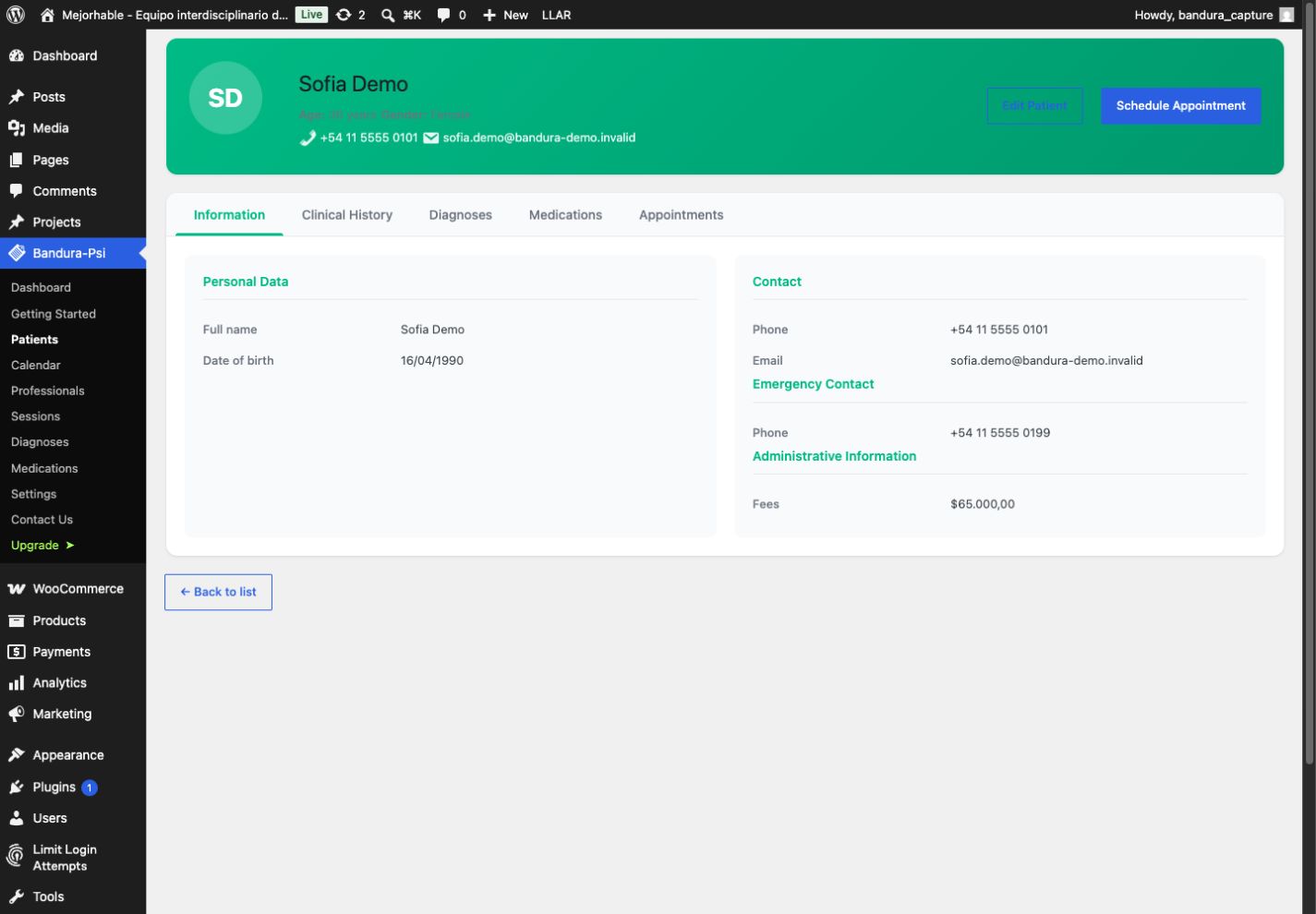
The complete story at hand. Find in seconds what used to be scattered across files and notes.
A calendar that keeps appointments under control
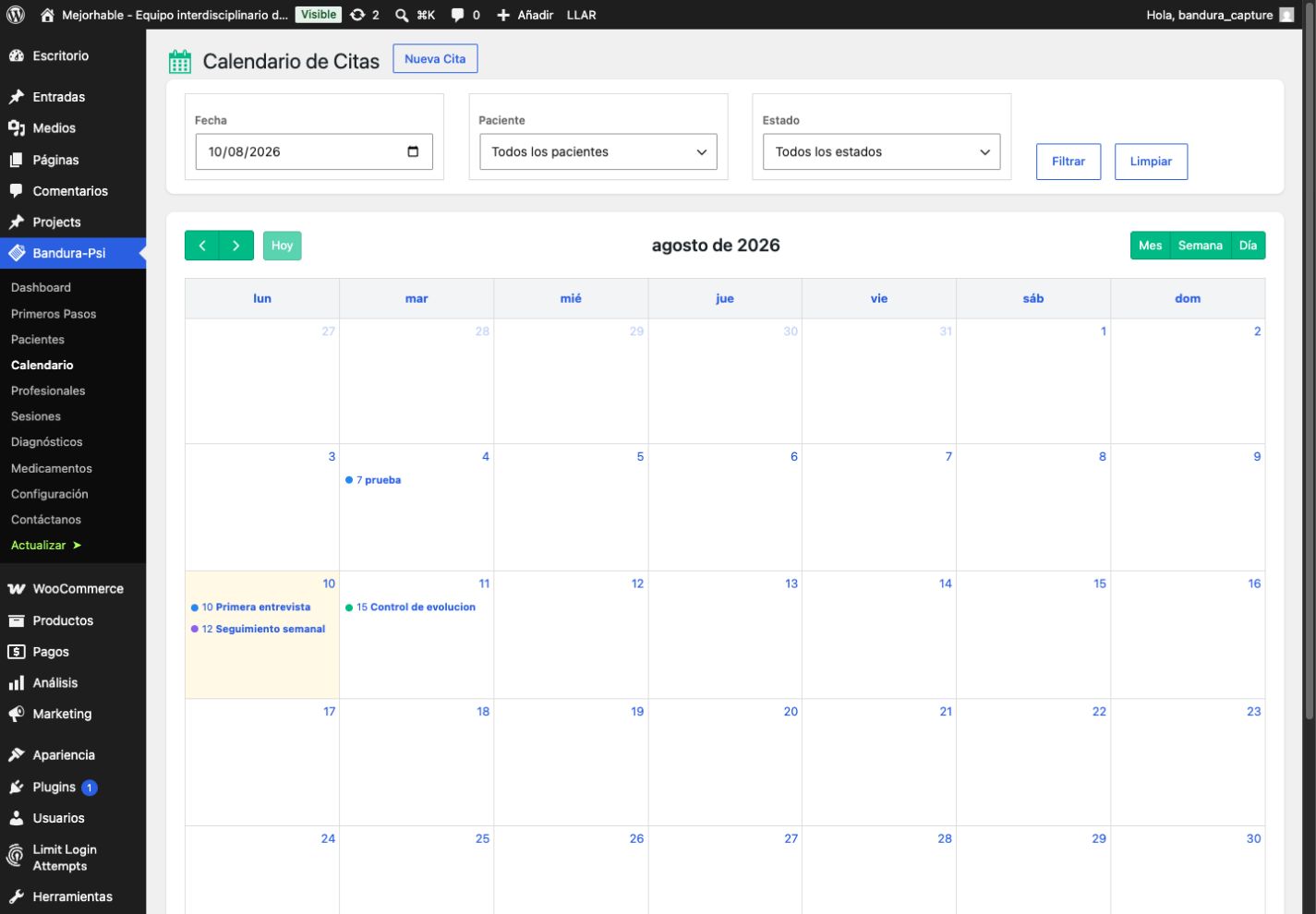
Weekly and monthly views, status tracking and drag-and-drop rescheduling.
See how it works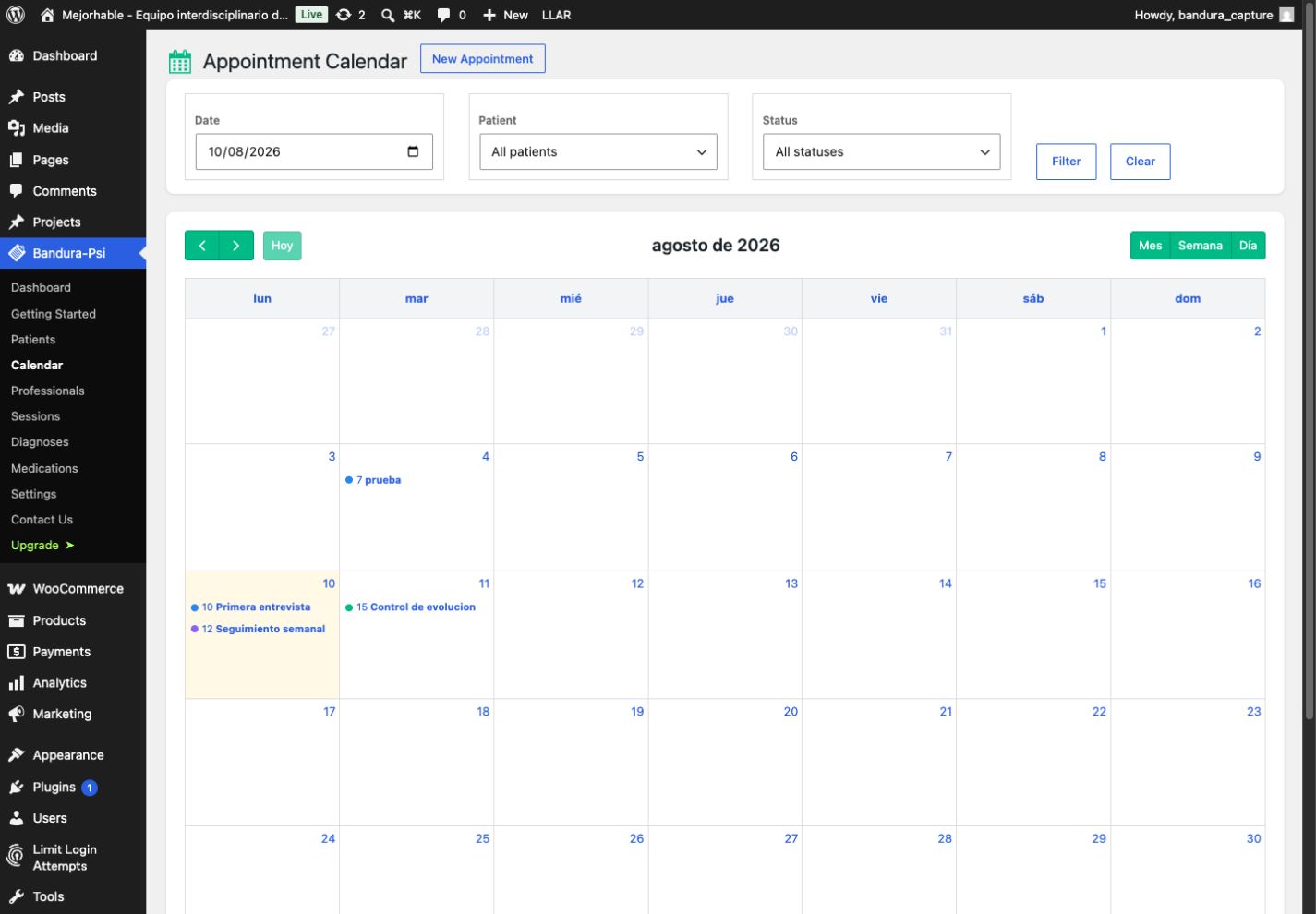
Fewer messages and missed visits. Connect Google Calendar after initial OAuth setup by the administrator, and send reminders 24, 48 or 72 hours ahead.
Follow the process, not only the last session
Private notes, mood indicators and a chronological treatment record.
See how it works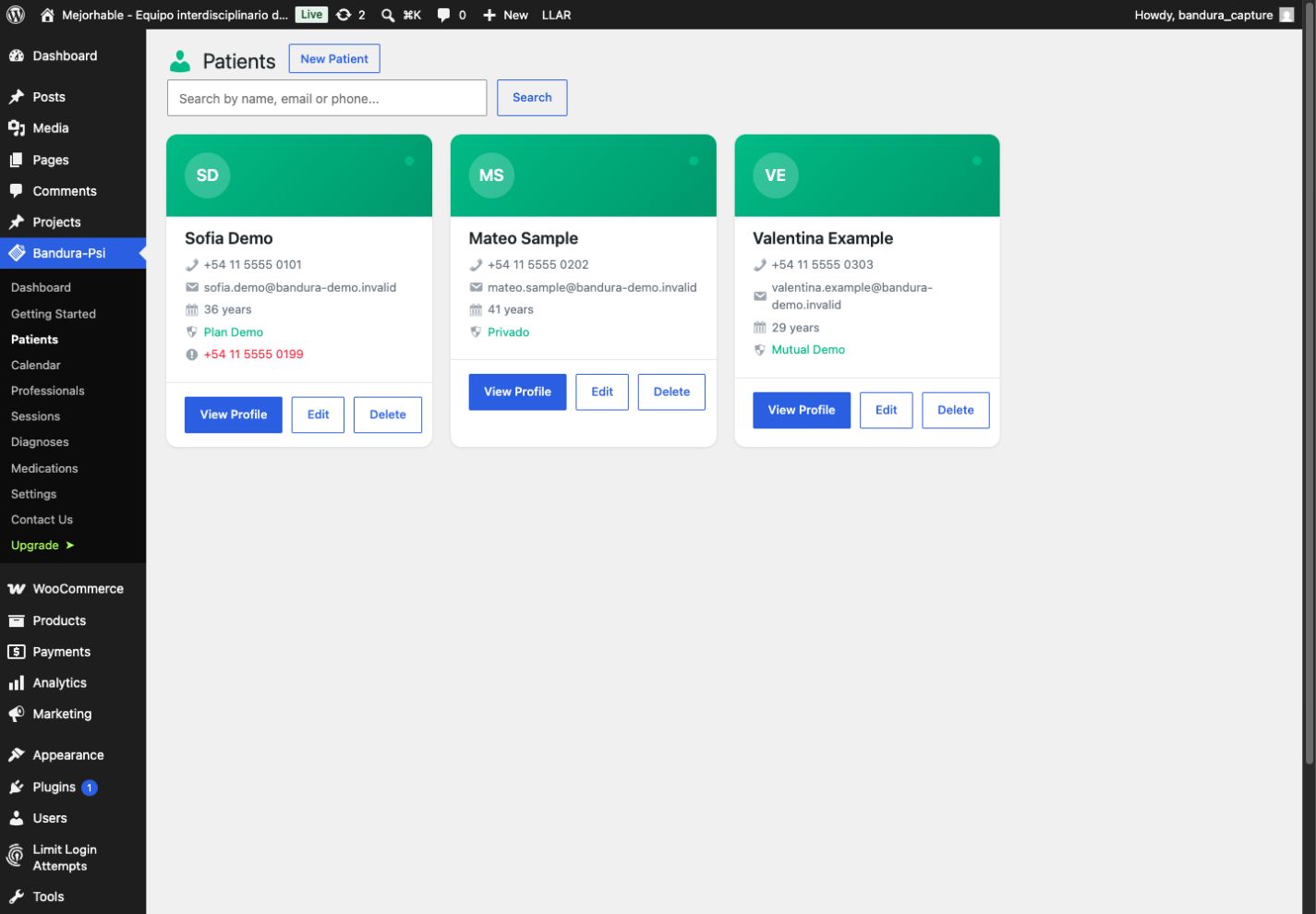
Progress you can see. Review changes and recover the therapeutic thread before the client arrives.
Record professional judgment clearly
Manual DSM-5 and ICD-10 records connected to each client.
See how it works
You make the decisions. Bandura organizes your records without automated diagnosis or AI interference.
Medication and response in the same follow-up
Dosage, frequency, response and side effects without separate records.
See how it works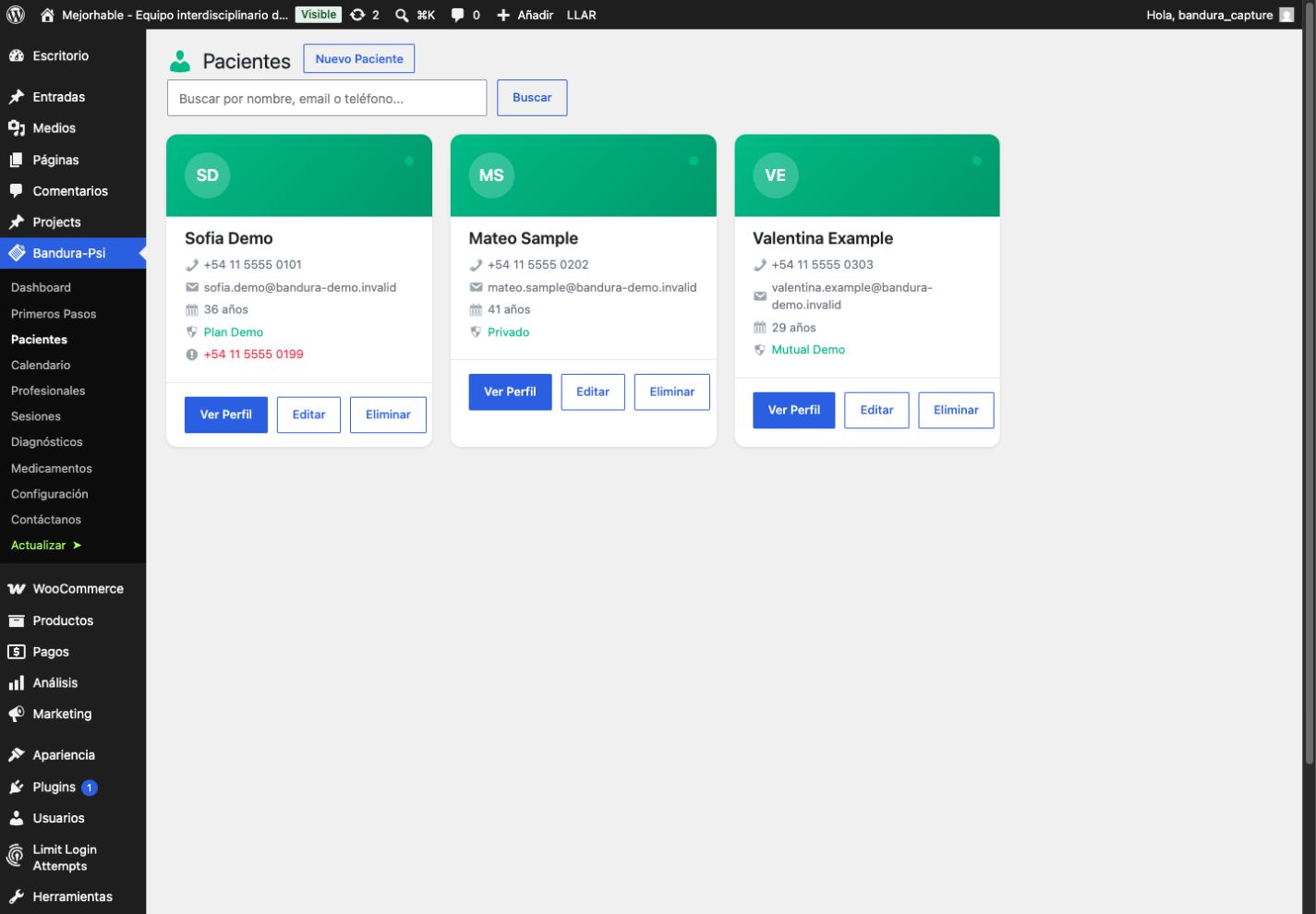
Nothing important stays isolated. Review medication alongside clinical progress.
Ready to grow with your team
Practitioners, permissions and a complete English, Spanish and Portuguese interface.
See how it works
One installation, multiple practitioners. Add collaborators and work in the language your team needs.
Available now · v1.4.1
A complete Free core with Pro automation.
Bandura 1.4.1 adds a non-expiring Free edition for daily practice management. Pro adds Google Calendar, built-in SMTP and automatic reminders.
- Free with no limits on clients, practitioners or clinical records
- Private Google Calendar per practitioner in Pro
- SMTP with STARTTLS and SSL/TLS in Pro, plus automatic reminders
- Complete English, Spanish and Brazilian Portuguese interface
Inside the mental health software
A clear interface built for everyday clinical work.
Implementation details
Before purchasing, your webmaster knows exactly what is delivered.
Bandura PSI is not SaaS and does not require a move to an external platform. It is a Free + Pro plugin installed and managed inside WordPress.
- Delivery
- Downloadable ZIP file after purchase
- Compatibility
- WordPress 5.8 or later · PHP 7.4 or later
- Installation
- Plugins → Add New → Upload Plugin
- Data
- Database of your own WordPress installation
- License
- Activation and updates managed through Freemius
- Integrations
- Google Calendar with initial OAuth setup by the administrator and individual authorization by each practitioner · WordPress mail · secure SMTP
Transparent purchase. Checkout displays price and site count before payment. Freemius delivers the license and plugin access; the 14-day trial requires no credit card.
Installation and launch guide Requirements, roles, first test, Google Calendar, SMTP and the production checklist in one document. Open the complete guideStraightforward licensing
Choose your reach. Keep control.
Every Pro 1.4.1 plan includes Google Calendar, built-in SMTP, automatic reminders, the EN/ES/PT interface and future updates. Licenses are counted per WordPress site, not per practitioner.
1 site
USD79
per year
or USD 9 per month
Lifetime license: USD 199
Choose this plan5 sites
Built for agenciesUSD159
per year
or USD 19 per month
Lifetime license: USD 349
Choose this plan20 sites
USD319
per year
or USD 39 per month
Lifetime license: USD 599
Choose this planSecure checkout managed by Freemius.
Want it delivered ready to use?
Babel13 can implement it for you.
We install Bandura on your WordPress site, configure roles, security, backups and integrations, adapt the visual identity and train your team. Hosting is not included and is quoted separately.
Implementation from USD 1,500 Discuss implementationBefore you install
Who is Bandura PSI designed for?
Psychologists, psychiatrists, therapists, private practices and mental health clinics that need to manage clients, appointments, sessions, clinical records, diagnoses and medication in WordPress.
Do I need a WordPress site?
Yes. Bandura PSI is a plugin installed on a WordPress site owned by you or managed by your provider.
Does it connect to Google Calendar?
Yes, in Pro. First, the administrator configures the OAuth application and callback URL for the WordPress installation. Each practitioner then authorizes and can revoke their own Google account. The connection requires this initial setup before use.
What is included in the Free edition?
Clients, practitioners, scheduling, sessions, clinical records, diagnoses, medication, notes, dashboard and the EN/ES/PT interface, with no expiry or record limits. Pro adds Google Calendar, built-in SMTP and automatic reminders.
Can I configure my own SMTP server?
Yes. You can use native WordPress mail, STARTTLS, SSL/TLS or a local relay, scoped only to Bandura email.
Which languages are available?
The complete interface is available in English, Spanish and Brazilian Portuguese.
Where is the data stored?
In the database of the WordPress installation where Bandura is activated. Clinical histories are not sent to Babel13 or Freemius.
Does it include AI diagnosis?
No. Diagnoses are entered manually by the practitioner. Bandura does not replace clinical judgment or generate medical recommendations.
Does it guarantee HIPAA or GDPR compliance?
Not automatically. Compliance depends on hosting, access controls, backups, internal policies and the rules in your jurisdiction. We can help review the implementation.
What happens after the trial?
You can choose a monthly, annual or lifetime license. Annual plans cost less than paying month to month.
Bandura PSI
Your next session can begin with everything in order.
Try the complete Bandura experience for 14 days. No card, no reduced features, and your data remains in your own WordPress.
Start 14-day free trial